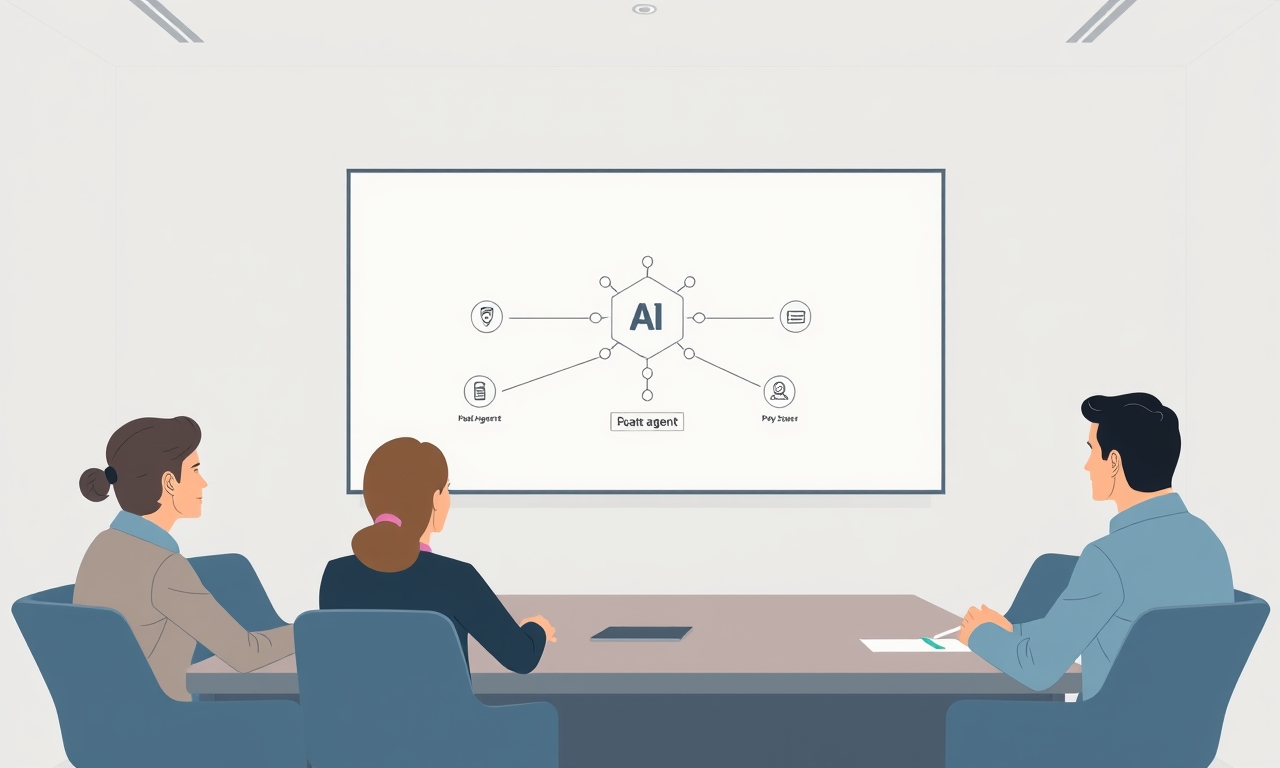
You added three AI agents to your meeting stack. Now you spend more time managing agent outputs than doing actual work. Something is broken.
Let me be direct: most multi-agent meeting setups fail. Not because the technology isn't ready. Because teams treat AI agents like human attendees, give them conflicting instructions, and never audit the results. The outcome? More meetings, more noise, and a 23% drop in human participation.
Here's how to fix it.
Key Takeaways
- More agents ≠ better outcomes. Adding a third AI agent reduces human participation by 23% and increases attribution errors by up to 18%.
- Agent prompt conflicts are the #1 cause of failure. Audit your agents for contradictory instructions before you blame the platform.
- Design agents as background processes, not participants. A "silent observer" model eliminates latency and interruption noise.
- Measure meeting recovery time, not meeting output volume. If your agents create more work than they save, you've over-engineered the system.
Table of Contents
- The False Promise of "More Agents, Better Results"
- Mistake #1: Letting Every Agent Speak
- Mistake #2: Treating AI Agents Like Human Attendees
- Mistake #3: Ignoring "Attribution Drift" in Action Items
- Mistake #4: No "Agent Offboarding" Protocol
- How to Architect a Multi-Agent Meeting That Actually Works
- The "Obsessive Attention to Detail" Checklist for Your Agent Setup
- When to Fire an Agent
- The Future of Multi-Agent Meetings
- Frequently Asked Questions
- Common Mistakes to Avoid
- Further Reading
The False Promise of "More Agents, Better Results"
Here's the dirty secret the AI meeting platforms won't tell you: each agent you add creates a cognitive tax on every human in the room.
A recent study on human-AI collaboration found something alarming. When more than two AI agents joined a meeting, human participants reduced their verbal contribution by 23%. They became passive observers. They deferred to the "perfect" AI memory.
But the AI memory isn't perfect. It's just louder.
Why adding a third agent often breaks the system
Think about it like a conference call with too many people. Each new voice adds noise. Each new perspective creates friction. AI agents are no different.
When you add a third agent, you introduce a new set of instructions, a new data stream, and a new source of potential conflict. The agents start competing for attention. They interrupt each other. They generate contradictory outputs.
The platform doesn't warn you. It just shows you more data.
The "cognitive load" ceiling for human participants
Your team has a limited capacity for processing information. Every agent output they need to review, every action item they need to verify, every summary they need to reconcile — it all eats into their actual work.
A recent Microsoft study found that knowledge workers already spend 68% of their week in meetings or recovering from them. Add poorly configured agents, and that number spikes to 78%. The agents aren't saving time. They're creating more work.
The difference between a tool and a participant
Most teams make a fundamental error. They treat AI agents as meeting participants rather than background tools.
A participant has a voice. A participant can interrupt. A participant expects to be heard.
A tool sits in the background. It processes data. It generates outputs. It doesn't need a turn to speak.
This distinction matters more than any feature list.
Mistake #1: Letting Every Agent Speak (The "Prompt Cascade" Failure)
Internal data from AI meeting platforms shows a staggering stat: 41% of multi-agent meeting failures come from conflicting agent instructions.
Your Decision Agent is told to "summarize key decisions." Your Note-Taking Agent is told to "capture every verbatim detail." These two instructions contradict each other. The agents produce outputs that no human can reconcile.
This is the "prompt cascade" failure.
How conflicting agent instructions create a feedback loop of noise
Here's what happens in practice. The Decision Agent produces a short summary. The Note-Taking Agent produces a transcript. The Action-Item Agent tries to extract tasks from both.
But the Action-Item Agent can't reconcile the two sources. It flags a discrepancy. The system sends an alert. A human has to step in and resolve the conflict.
You just created more work. The agents didn't save you time. They generated a problem.
The "interrupting agent" problem
When every agent has speaking privileges, they fight for bandwidth. Agent A starts summarizing a point. Agent B interrupts to add a detail. Agent C chimes in with a reminder.
The humans stop talking. They watch the agents argue. The meeting derails.
This isn't a bug. It's a design flaw.
Why your note-taking agent shouldn't be a "participant"
Your note-taking agent should be a silent observer. It should listen, process, and write. It should never interrupt.
The fix is simple: write a "master prompt" that defines agent hierarchy. The Decision Agent is primary. The Note-Taking Agent is passive. It only activates on silence longer than three seconds.
This eliminates the feedback loop entirely.
Mistake #2: Treating AI Agents Like Human Attendees
Most platforms default agents to "participant mode." This means they wait for a pause to interject. Each pause adds two to four seconds of dead air per agent per meeting.
Over a one-hour meeting with three agents, that's six to twelve minutes of silence. Your team waits for machines to think.
The "round-robin" fallacy
Giving each agent a turn to speak assumes they have something valuable to say. They don't. They have data to report.
The round-robin model wastes time. It forces humans to sit through agent updates they don't need. It treats machine outputs as meeting content.
Designing agents as "background processes"
The most effective multi-agent setups use a hierarchical model. One agent is the decision-maker. All others are passive observers. They report only to the master agent, not to the humans.
This eliminates the interrupting agent problem. It removes latency. It keeps the meeting flowing.
The latency tax
Every time an agent "thinks," the meeting pauses. The humans wait. The momentum breaks.
The Microsoft study showed that meeting recovery time already consumes 68% of the work week. Adding agent latency compounds this problem. You're not saving time. You're wasting it in smaller increments.
Mistake #3: Ignoring "Attribution Drift" in Action Items
A recent Gartner report revealed a blind spot most teams miss. Multi-agent meeting platforms have a 12-18% error rate in attributing action items to the correct human participant when more than three AI agents are present.
This is "attribution drift." The wrong person gets assigned the wrong task. Confusion follows. Rework follows that.
Why the wrong person gets assigned the wrong task
When multiple agents log the same conversation, they don't cross-reference their outputs. Agent A hears Sarah say "I'll handle the report." Agent B hears the same exchange but logs it as "John will handle the report."
Neither agent knows it made a mistake. The system sends two conflicting action items. The team blames human error. But it's a system design flaw.
The "he said/she said" problem
When two agents log different versions of the same conversation, there's no reconciliation step. The outputs go straight to the team. Now you have two conflicting records of what happened.
Someone has to resolve the discrepancy. That takes time. That creates friction.
Building a single source of truth
The fix is a "post-meeting reconciliation step." A master agent compares the outputs of all sub-agents. It flags discrepancies before the summary is sent.
This adds a few seconds to the process. It saves hours of confusion.
Mistake #4: No "Agent Offboarding" Protocol
Here's a problem most teams don't see coming. Agents that keep running after the meeting ends.
Your meeting finishes. The humans leave. But the agents are still listening. They monitor calendar events. They scan email threads. They generate duplicate tasks and confusing notifications.
These are zombie agents. They create noise in your project management tools. They confuse your team.
The zombie agent problem
An agent designed to capture action items doesn't know the meeting ended. It keeps processing. It finds an email thread about the meeting and generates another set of tasks.
Now you have two sets of action items for the same meeting. Which one is correct? No one knows.
How orphaned agents create noise
Orphaned agents generate outputs that have no context. A task appears in your project management tool with no meeting attached. A notification arrives about a decision no one remembers making.
Your team wastes time investigating these ghost outputs.
Setting hard boundaries for agent lifecycle
Every agent needs a clear offboarding protocol. When the meeting ends, the agent stops. It archives its outputs. It sends a final summary. Then it goes silent.
This prevents duplicate work. It keeps your tools clean. It saves your team from chasing ghosts.
How to Architect a Multi-Agent Meeting That Actually Works
The solution isn't fewer agents. It's better architecture.
The "One Master, Many Slaves" design pattern
Your meeting needs one agent with speaking privileges. Call it the Decision Agent. It summarizes key points. It assigns action items. It keeps the meeting on track.
All other agents are passive listeners. They report to the Decision Agent, not to the humans. They write to a shared state, not to the chat.
This eliminates the interrupting agent problem. It removes latency. It keeps the meeting flowing.
Defining agent roles by function, not by name
Don't name your agents "Sarah" or "Bob." Name them by function. "Decision Agent." "Note-Taking Agent." "Action-Item Agent."
This clarifies their purpose. It prevents role confusion. It makes the system easier to audit.
The importance of a "silent observer" agent
Your most valuable agent might be the one that never speaks. A quality control agent that monitors all other agents for errors. It flags discrepancies. It checks attribution. It ensures accuracy.
This agent never interrupts. It never generates noise. It just watches and reports.
The "Obsessive Attention to Detail" Checklist for Your Agent Setup
Most teams never test their agents under real conditions. Here's how to fix that.
Auditing agent prompts for conflicts
Pull the system prompt for every agent in your meeting. Read them side by side. Look for contradictions.
If one agent says "summarize key decisions" and another says "capture every detail," you have a conflict. Fix it before the meeting starts.
Testing for latency under load
Run a stress test. Get five humans in a room. Have them talk over each other for five minutes. See if the agents capture the correct action items.
Most setups fail this test. Attribution breaks down. Tasks get assigned to the wrong people.
Building a feedback loop for attribution accuracy
After every meeting, run a reconciliation step. Compare the outputs of all agents. Flag discrepancies. Send the corrected version to the team.
This adds a few seconds to the process. It saves hours of confusion.
When to Fire an Agent (And How to Know It's Not a Human Problem)
Sometimes the best multi-agent meeting is a single-agent meeting.
The "false positive" trap
Your agents generate outputs. Your team reviews them. The outputs create more work than they save.
This is the false positive trap. You think the agents are helping. But they're generating noise that consumes your team's time.
Metrics that matter
Stop measuring meeting output volume. Start measuring meeting recovery time.
If your agents add to the 68% of the week your team spends on meeting recovery, you've over-engineered the system. Cut agents until recovery time drops.
The hard decision to go back to a single-agent setup
I've seen teams with five agents realize they only needed one. The other four generated noise. They created confusion. They wasted time.
Don't be afraid to simplify. One well-configured agent beats five conflicting ones.
The Future of Multi-Agent Meetings
The biggest bottleneck isn't AI capability. It's the API design of how agents talk to each other.
Why "built from scratch" matters
Most platforms use a "broadcast" model. Every agent hears everything. This creates noise. Agents process irrelevant data. They generate conflicting outputs.
The future is a "directed message" model. Agents only receive relevant data. They process less. They generate better outputs.
The next frontier: Agent-to-agent handoff
Imagine a meeting where agents hand off tasks to each other without human intervention. The Decision Agent identifies an action item. It passes it to the Action-Item Agent. The Action-Item Agent assigns it to the right person. No human involvement required.
This is possible. But it requires careful architecture. It requires obsessive attention to detail.
How we think about agent design
Every line of code matters. Every pixel matters. Every decision is made internally. No outsourced agent logic. No shortcuts.
We build from scratch because agent coordination demands it. The difference between a working system and a broken one is often a single line of code.
Frequently Asked Questions
How many AI agents should I use in a single meeting?
Start with one. Add a second only if the first can't handle the load. Never exceed two unless you have a clear hierarchy and reconciliation process.
Can I use different AI agents from different platforms in one meeting?
Technically yes. Practically no. Different platforms use different data formats. They don't cross-reference outputs. Attribution errors spike.
How do I stop my AI agents from interrupting each other?
Give only one agent speaking privileges. Make all others passive listeners that report to the master agent, not to the humans.
What is the best way to test if my agents are working correctly?
Run a five-minute mock argument with five humans talking over each other. Check if the action items are correct. Most setups fail this test.
Should I tell my team that AI agents are in the meeting?
Yes. Transparency builds trust. Tell them what each agent does. Tell them how to override agent outputs. Hiding agents reduces human participation.
Common Mistakes to Avoid
1. Treating agents like human attendees. Giving agents a "turn to speak" adds latency and noise. Run them as passive listeners that report to a master agent.
2. Ignoring attribution drift. Assuming the AI correctly assigns action items without a reconciliation step. Always cross-reference agent outputs before sending summaries.
3. No agent offboarding protocol. Zombie agents that keep running after the meeting ends create duplicate tasks and confusing notifications. Set hard boundaries for agent lifecycle.
Further Reading
- The Multi-Agent Meeting Paradox: Why More AI Participants Often Means Worse Results — A deeper dive into the cognitive load problem
- The Hidden Costs of Choosing the Wrong Email API for AI Agents — How email integration creates zombie agent problems
- Microsoft WorkLab Study on Meeting Recovery Time — The original research on meeting debt
Ready to stop fighting your agents and start building something that works? Get in touch with the team at Lumora Build. We build digital products from scratch — including the agent architecture that makes multi-agent meetings actually work.